ElderVault

Care records for your parents

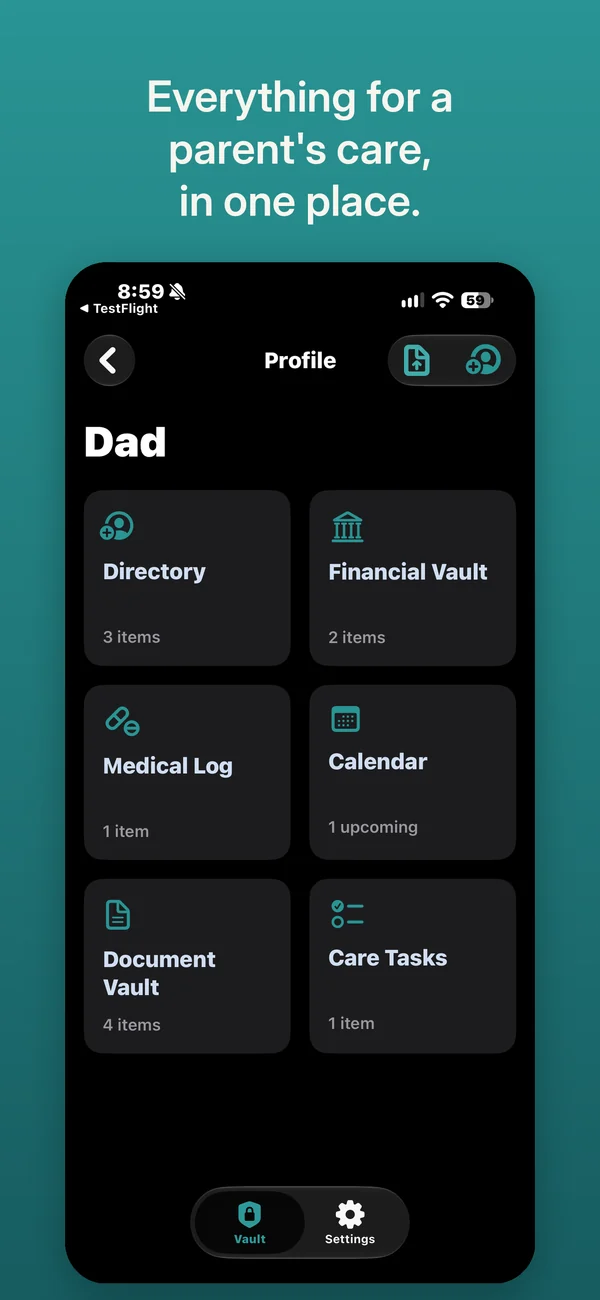
Everything for a parent's care, in one place.

ElderVault keeps what your family needs to know about an aging parent in one place, and lets you share each part with the person who handles it.

Coming soon to the App Store

For iPhone, iPad, and Mac computers with Apple silicon.

ElderVault on iPhone: a profile for Dad with six sections, Directory, Financial Vault, Medical Log, Calendar, Document Vault and Care Tasks.
Choosing which sections to share: Directory, Financial Vault and Medical Log are ticked, with a switch for whether the person can make changes.

Share only what each person needs

One of you pays the bills. Another drives to the doctor.

Someone keeps the paperwork. ElderVault gives each relative a profile with six sections, and you share them one at a time: the Financial Vault with whoever handles money, the Medical Log and the Calendar with whoever goes to appointments. Everyone sees what they were given, and nothing else.

  • Share any section with anyone who has an Apple Account, through Apple's own sharing
  • Choose for each section whether they can make changes or only view
  • Stop sharing at any time, and the section leaves their devices
  • People you invite never pay

Six sections for each relative

The details you need, the moment you need them.

  • Directory

    Doctors, pharmacies, neighbors and family

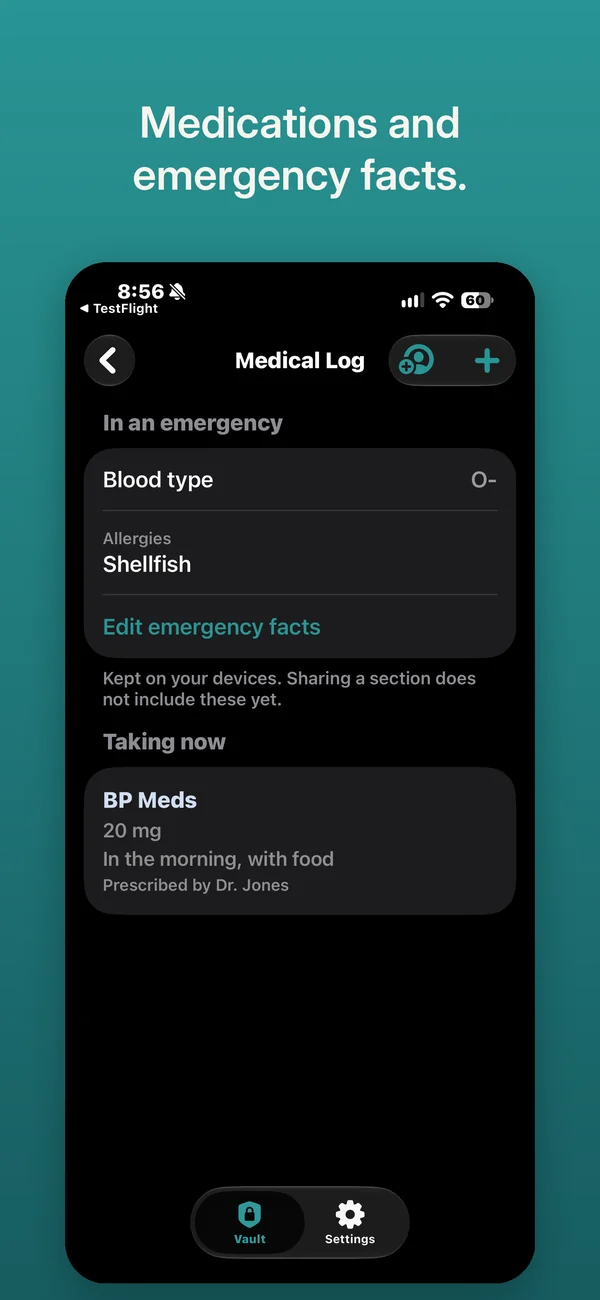
  • Medical Log

    Medications, doses and emergency facts, with photos of labels

  • Financial Vault

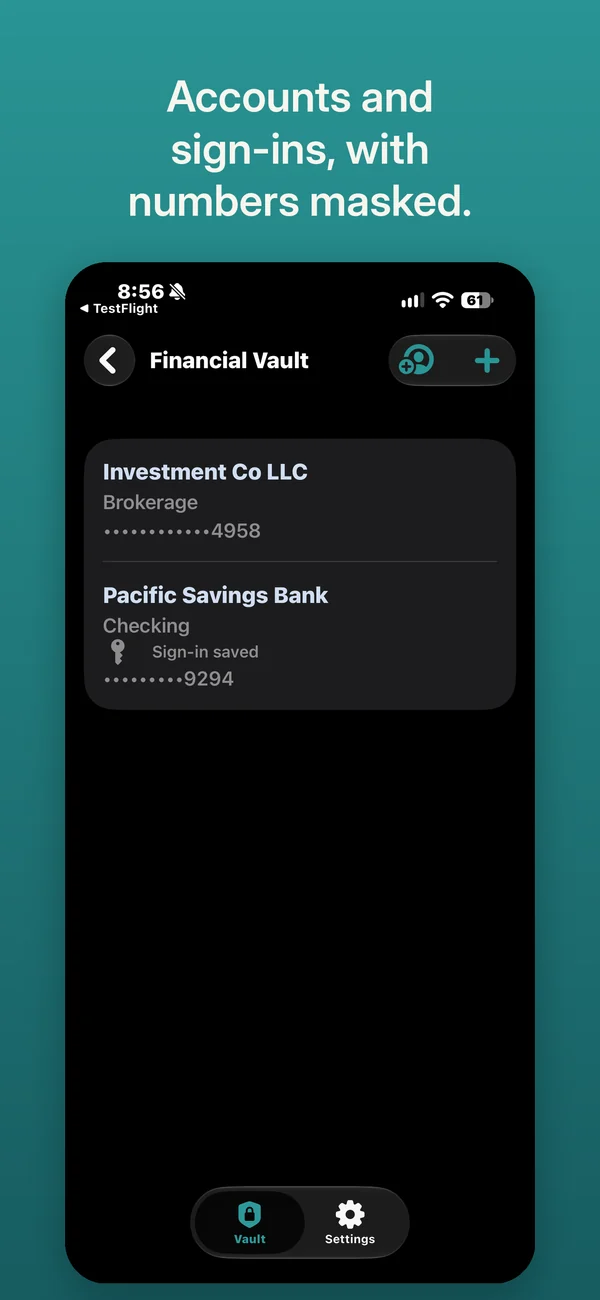
    Accounts, account numbers and website sign-ins

  • Calendar

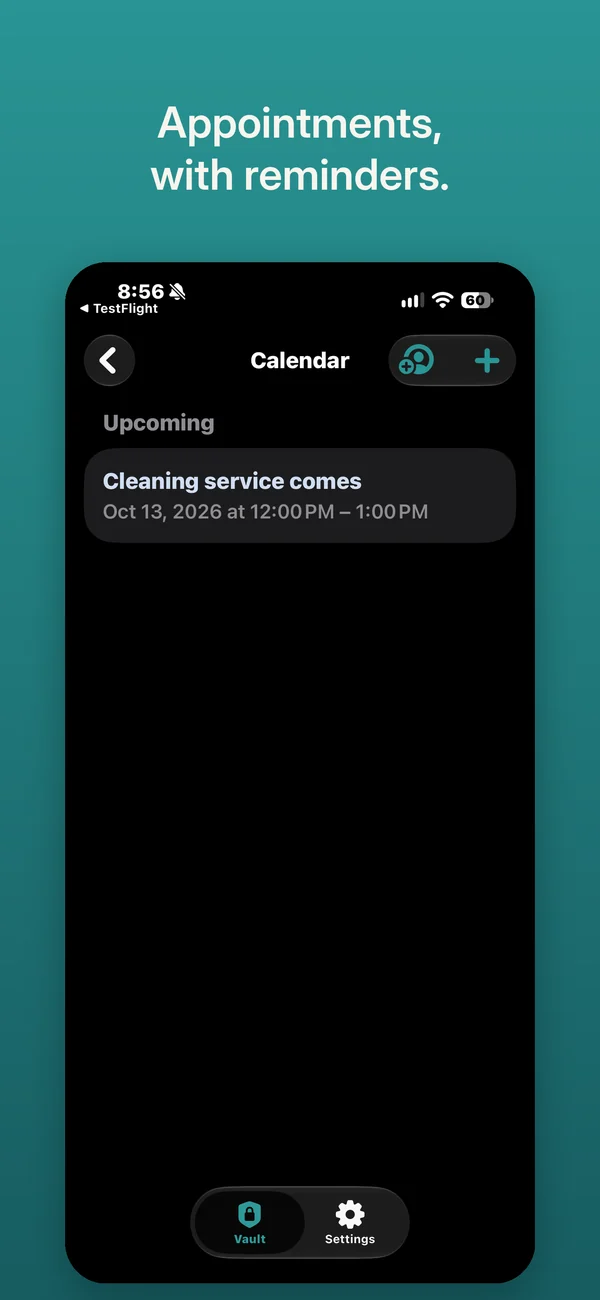
    Appointments, with reminders, and kept in your own calendar if you like

  • Care Tasks

    Who is doing what, and when it is due

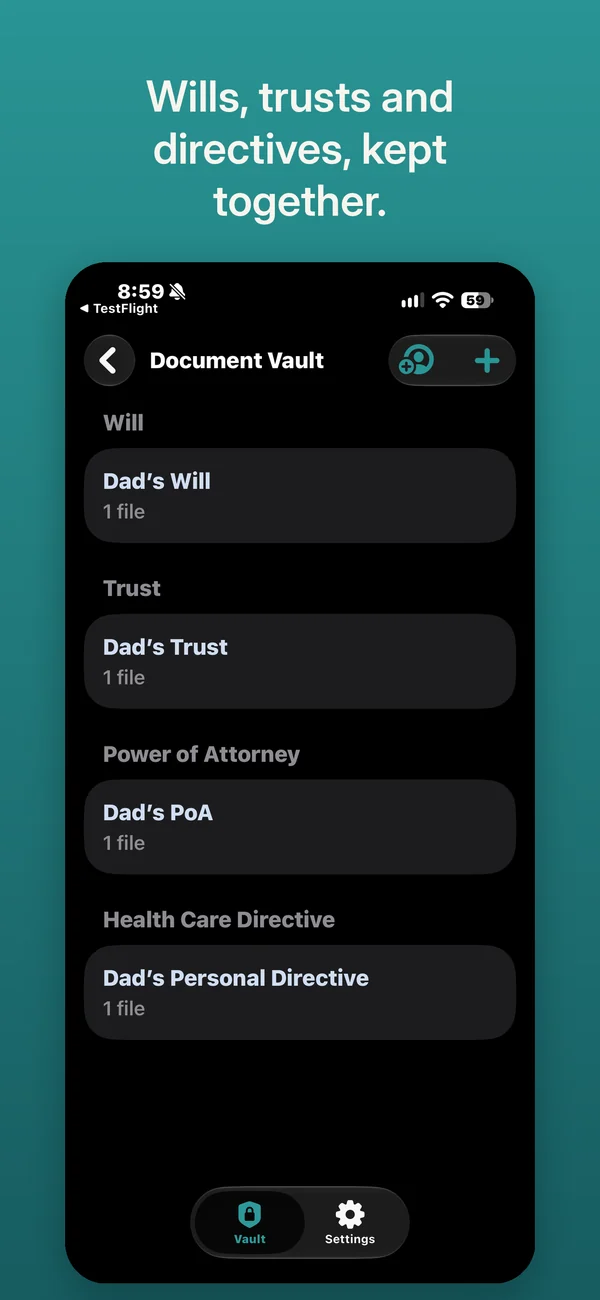
  • Document Vault

    Wills, insurance policies and other papers, scanned with your camera

Attach photos, scans and files to anything.

Private by design

No account to create. No server of ours.

  • No account to create, and no server of ours: your information lives on your devices and in your own iCloud
  • Every field you type is encrypted on your device before it is stored in iCloud
  • Mighty Yak Labs cannot read your information and collects no data
  • Lock the app with Face ID, Touch ID or your passcode
  • Reminders name no one on the Lock Screen unless you choose otherwise
  • Export sections as a password-protected PDF when you need them on paper

The privacy policy has the details.

Why I built ElderVault

I started Mighty Yak Labs to make software that solves real-world problems. While I was building our first app, School Corral, my mom and my wife's dad both started to need more help. We're both only children, so we always knew elder care was coming. It went from someday to now.

At the end of one particularly exhausting day, my father-in-law called about a simple billing problem with one of his services. At his house, with his bills and his computer, it would have been trivial to sort out. I had none of that, and I was thousands of miles away.

The answer was obvious: all of those details needed to live in one place where my wife and I could both reach them the moment they were needed. School Corral's private iCloud sharing had already laid the foundation, so I built ElderVault.

Each parent gets one profile: doctors, medications, accounts, appointments, tasks and documents, shared section by section. In our family, my wife and I share everything. With siblings, you can divide and conquer: one handles the medical side, another the finances, and everyone sees who's handling what, and what's done. If your parent is comfortable with an iPhone, you can invite them too, and they can check off their own tasks.

Caring for aging parents is hard: mentally, emotionally, sometimes physically. ElderVault is here to make it a little easier.

Russ RigbyFounder, Mighty Yak Labs

Pricing

Free to download. Everything in it is free except sharing.

To share sections with other people, choose one:

Annual

$29.99 a year

With a one-week free trial the first time.

Lifetime

$79.99 paid once

No renewals.

The annual subscription renews automatically until you cancel it. Both can be shared with your Family Sharing group. People you invite never pay. Prices are in US dollars and vary by country.

Make it a little easier on your family.

Coming soon to the App Store

ElderVault is an organizer. It does not give medical, legal or financial advice.